






 +13

Make it in three steps
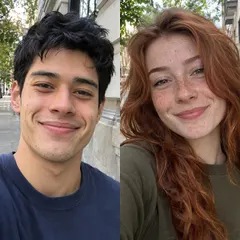
- Choose one portrait of you and one of your friend, with their permission.
- Start with Best friends selected rather than the Couple option.
- Check that both people stay recognizable and edit captions to fit your inside jokes.
From download to your chat
- Telegram
- Use the WebM video sticker export. Direct bot import is still being tested; follow the Telegram guide for the manual route.
- Download WhatsApp-ready WebP files, then use a compatible sticker importer. A website download does not install a whole pack. See the import steps.
- iMessage & social video
- Share GIFs in messages or an available silent MP4 on social platforms. Native iMessage sticker-pack installation is not available in this web version.
Questions before you start
How is this different from couple stickers?
It uses the same two-photo workspace with Best friends selected. Review the paired poses to make sure they suit your friendship.
Can our whole friend group be included?
This template accepts two photos. It is designed for a pair, not a multi-person group pack.